GALLERYFind your
Find your
biggest video.
See your biggest files first. Filter your camera roll to focus on what matters.
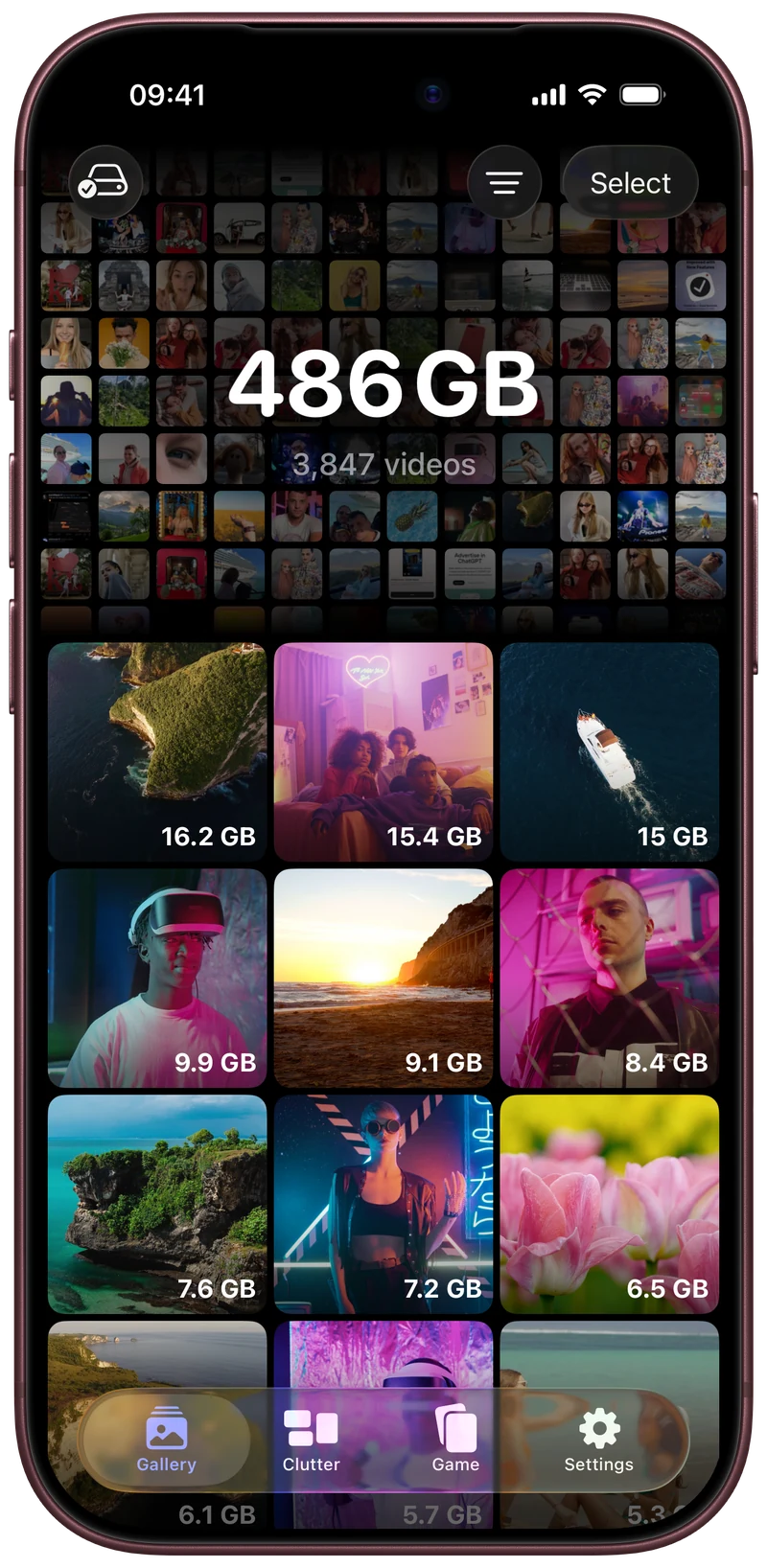 Sorted by size. Ready to review.
LESS CLUTTER. MORE ROOM.
Find your biggest videos, compare similar photos, and clear the clutter. Swipe left to delete, right to keep.
Coming soon on the App Store
01 / FIND YOUR STARTING POINT
Extra takes. Old screenshots. That video you forgot about.
Start with what you no longer need.
See your biggest files first. Filter your camera roll to focus on what matters.
Sorted by size. Ready to review.Screenshots, screen recordings and more. Already grouped, so you know where to start.
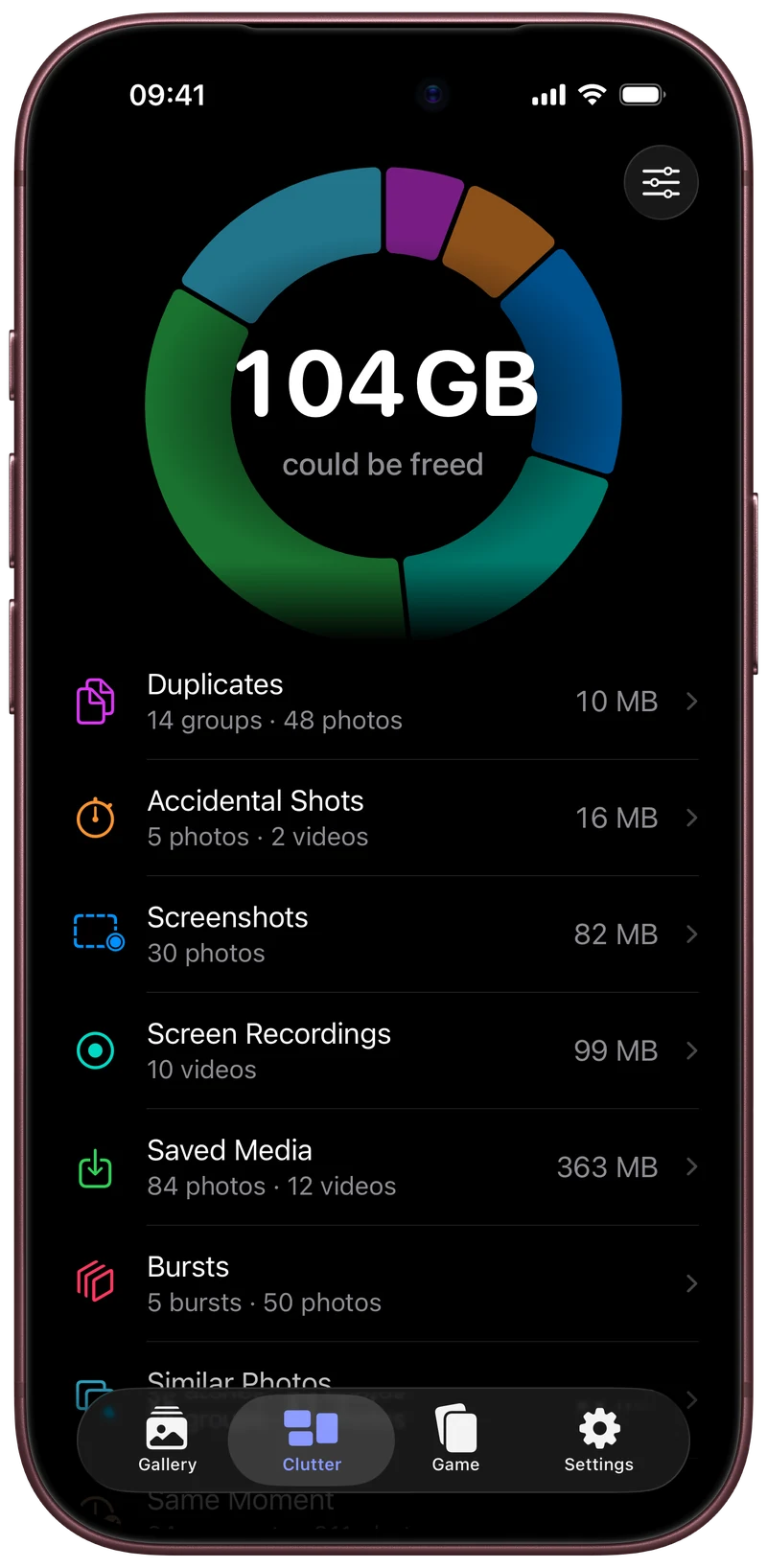 A little order goes a long way.
02 / ONE CARD AT A TIME
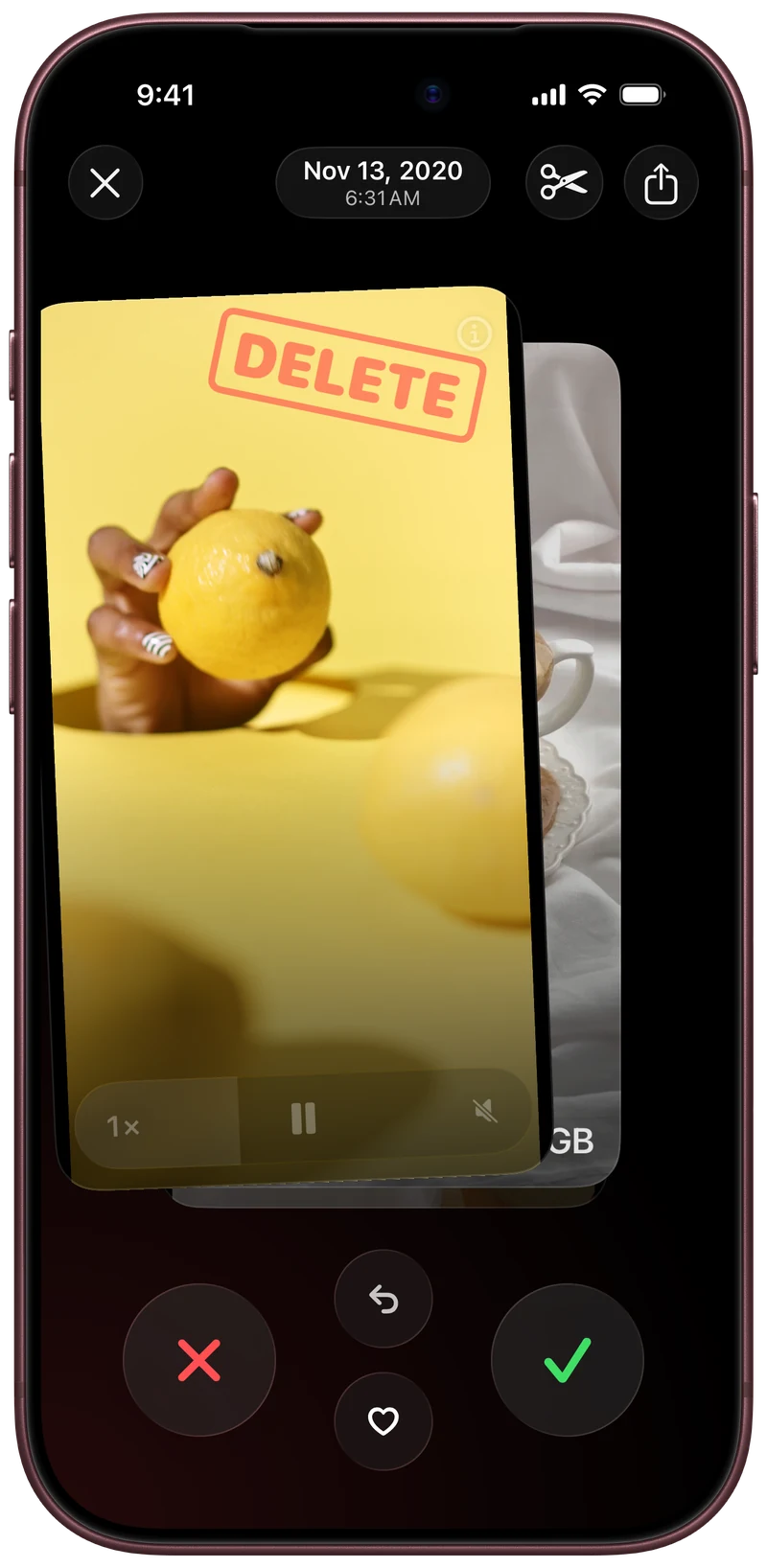
Swipe left to move a photo or video to Trash. Swipe right to keep it. Not sure? Keep it.
Review your Trash when you’re done, then confirm deletion in iOS.
03 / KEEP THE BEST
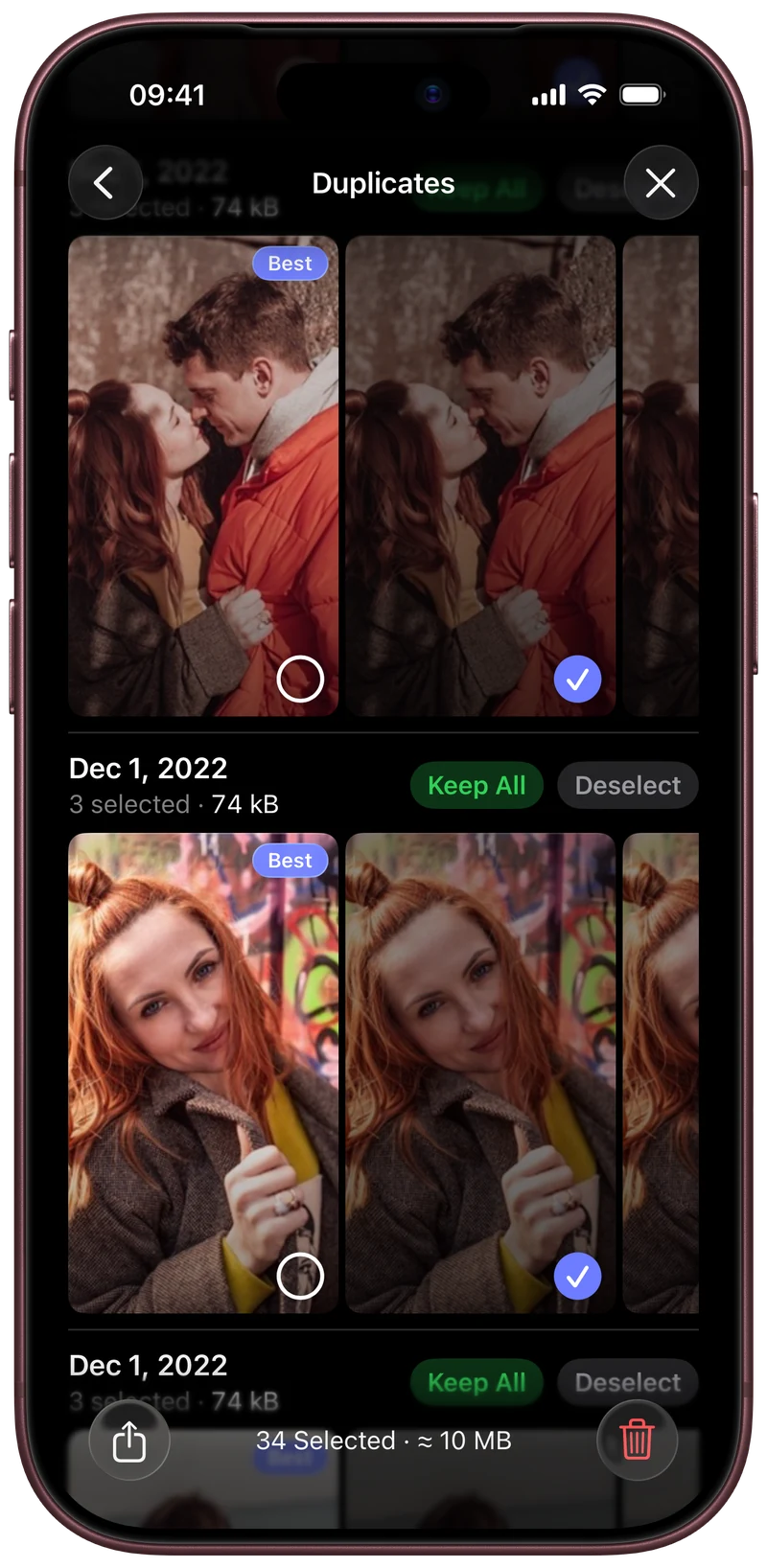
See duplicate photos and videos together.
Review the extras before you remove them.
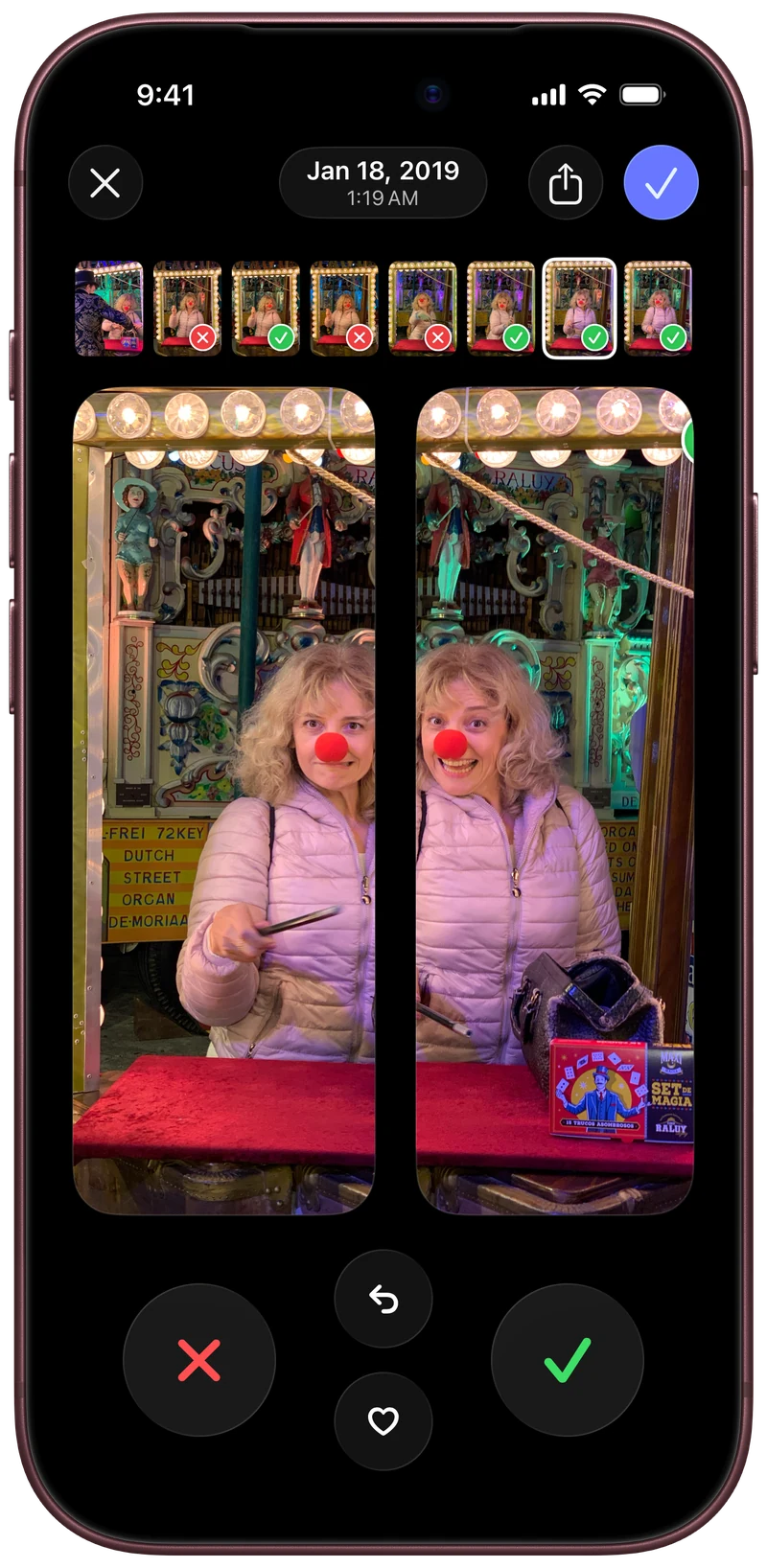
Review similar photos. Find your favorite.
You decide which shots stay.
FOR THE NEXT THING YOU MAKE
Raw clips, extra takes and saved references add up.
Make room to create again after you post.
04 / MAKE IT A LITTLE MORE FUN
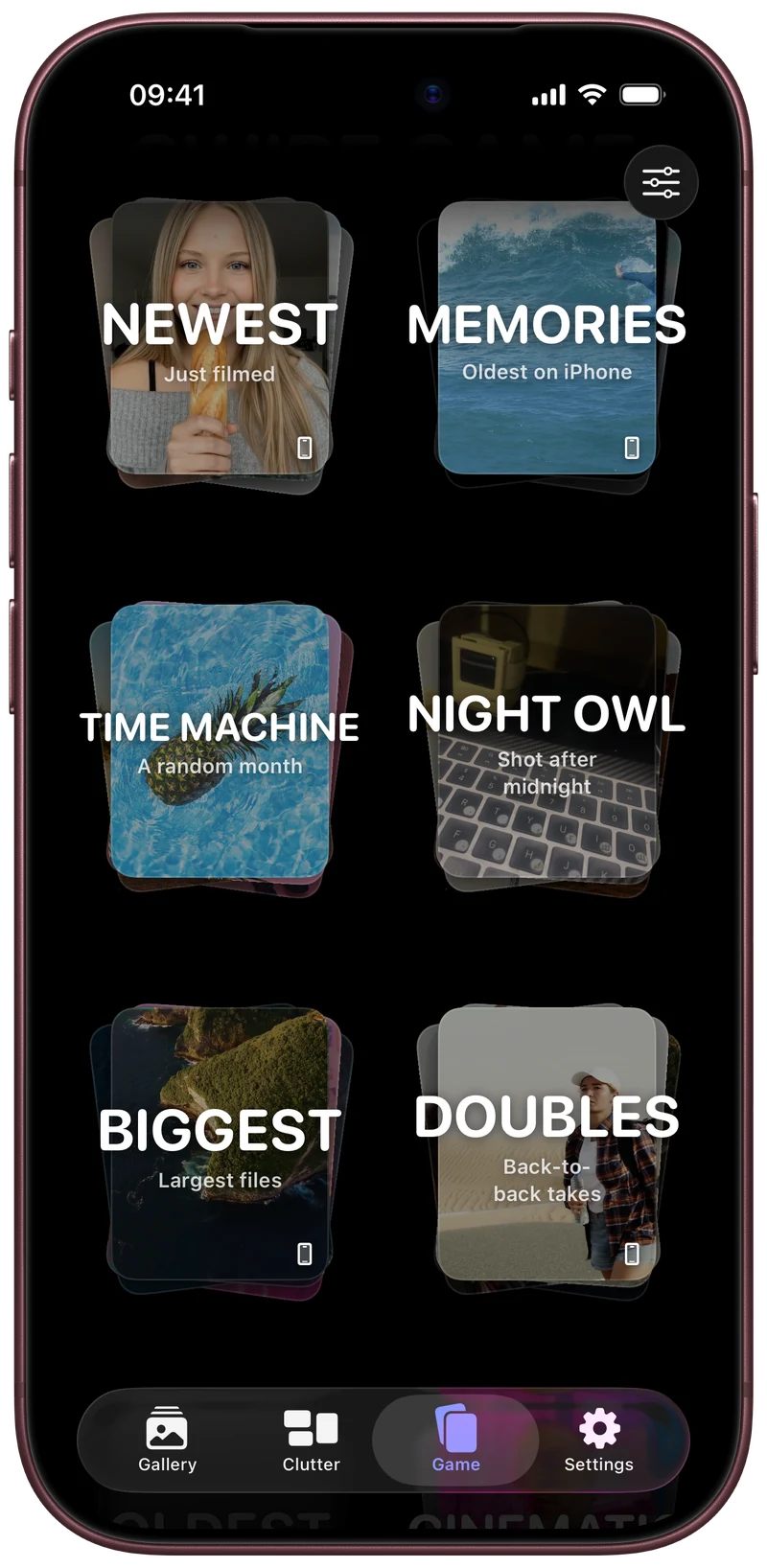
Pick a themed deck. Swipe through a round. Earn XP and level up as you tidy your camera roll.
A trip down memory lane. With a little less clutter.
A LITTLE PEACE OF MIND
Photo analysis happens on your device.
You stay in control of what gets deleted.
No. A left swipe moves it to Deletti’s Trash. Review your selection before confirming deletion in iOS.
Photo analysis runs on your device. Deletti can retrieve media from iCloud through Apple Photos when needed.
If iCloud Photos is enabled, deleting an item also deletes it on devices using the same Apple Account. Apple normally keeps deleted items in Recently Deleted for 30 days. Learn about deletion and recovery.
Deletti works with photos and videos in Apple Photos. It does not clear other apps’ caches or editing projects.
KEEP THE BEST, DELETTI THE REST.
Find it. Review it. Swipe it.
DownloadComing soon. The App Store link will be available here at launch.